
Executive Summary: The Perpetual Data Storage Dilemma
Data is the lifeblood of modern enterprise systems. From customer transaction ledgers and relational databases to high-resolution visual training corpora for foundation AI models, organizations generate and ingest exabytes of information daily.
Yet when architects decide where to persist this data, they encounter one of the foundational trade-offs in computer science: Cloud Storage vs. Local (On-Premise) Storage.
The debate is frequently framed in ideological extremes: cloud evangelists declare local hardware an archaic liability, while on-premise advocates warn of predatory cloud egress pricing and vendor lock-in. In engineering reality, neither solution is universally superior. The optimal decision requires a rigorous quantitative analysis of latency tolerances, input/output operations per second (IOPS), data durability physics, regulatory sovereignty, and Total Cost of Ownership (TCO).
 Figure 1: Local on-premise NVMe storage arrays delivering sub-millisecond I/O latency and direct bus connectivity.
1. Local Storage: The Physics of Direct-Attached Hardware
Local storage encompasses physical storage media directly attached to the local computational host or accessible across an ultra-high-speed local Storage Area Network (SAN) or Network-Attached Storage (NAS):
- Direct-Attached NVMe SSDs: Communicating across PCIe Gen 5 lanes directly with the CPU memory controller.
- Enterprise SAN / NAS: Dedicated physical storage appliances (Pure Storage, NetApp) connected via 32Gbps Fibre Channel or 100GbE iSCSI fabrics.
The Unrivaled Advantage: Microsecond Latency and Deterministic Throughput
When an application requires raw, unadulterated speed, local physical storage cannot be beaten by the cloud:
- I/O Latency: High-end PCIe Gen 5 NVMe drives achieve random read latencies of under 10 to 20 microseconds ($\mu s$). By contrast, sending an HTTP REST request over the public internet or even across a cloud virtual network interface to an object store like Amazon S3 incurs latencies between 15 to 50 milliseconds ($ms$)—a difference of three orders of magnitude.
- IOPS Throughput: A single enterprise NVMe drive delivers over 1.5 million random read IOPS and sequential throughput exceeding 14 GB/s. For high-frequency trading databases, real-time telemetry processing, and local AI model checkpointing, local storage is mathematically mandatory.
The Trade-offs of Local Storage
- Capacity Ceilings: Physical drive bays are finite. Expanding storage requires procurement cycles, physical cabling, and hardware RAID configuration.
- Disaster Vulnerability: If a data center floods, catches fire, or suffers a localized hardware controller failure, locally attached data is destroyed unless expensive offsite replication pipelines are maintained.
- Hardware Lifecycle Management: Hard drives and flash cells wear out. IT teams must continuously monitor S.M.A.R.T. telemetry, replace failed drives, and absorb significant capital expenditure (CapEx) every 3 to 5 years.
2. Cloud Storage: Distributed Durability and Elastic Abstraction
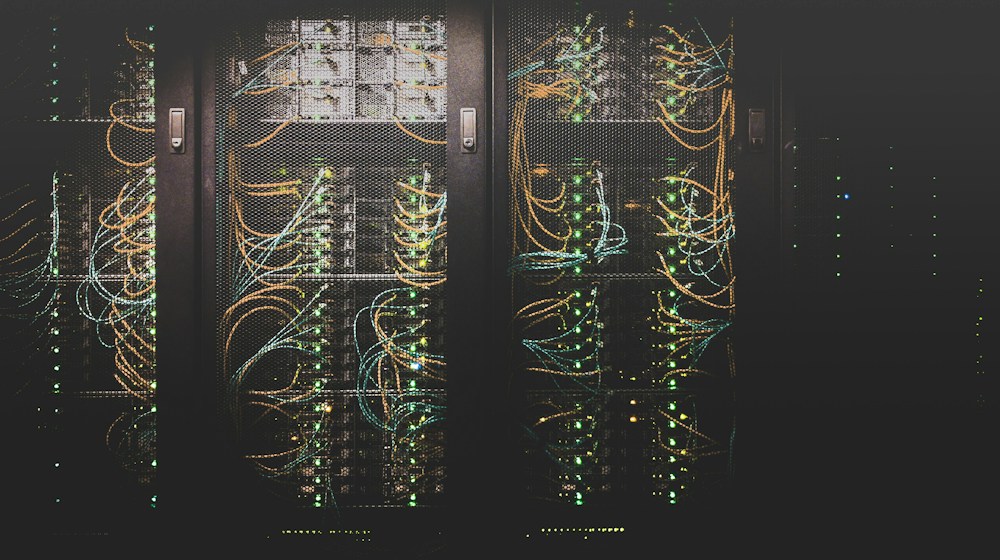 Figure 2: Distributed cloud object storage (e.g., S3) achieving 99.999999999% durability via erasure coding.
Cloud storage abstracts physical media into massive, multi-tenant distributed storage pools accessible via standardized web APIs (such as the S3 API).
The Unrivaled Advantage: Eleven Nines of Durability and Infinite Scale
- 99.999999999% (11 9s) Durability: Hyperscalers like AWS, Google, and Azure do not simply copy files to a backup disk. They utilize sophisticated mathematical Erasure Coding (Reed-Solomon algorithms), slicing data into fragments and distributing them across multiple geographically isolated availability zones. Cloud storage is mathematically engineered to survive the simultaneous destruction of multiple entire physical data centers without losing a single bit.
- Elastic Infinite Scaling: You never run out of disk space. Whether storing 10 megabytes or 50 petabytes, storage scales automatically without requiring capacity pre-allocation.
- Automated Lifecycle Tiering: Built-in intelligence automatically migrates data that hasn’t been accessed in 30 days from high-performance tiers to lower-cost tiers (Infrequent Access, Glacier, Deep Archive), dropping costs to as low as $0.00099 per gigabyte per month.
The Trade-offs of Cloud Storage
- Network Egress Fees & API Costs: While storing data is cheap, moving terabytes of data out of a cloud provider across the public internet incurs significant network egress fees. Additionally, high-frequency applications that issue millions of
GETorPUTrequests can generate shocking API operation bills. - Network Dependency: If your local enterprise internet connection is severed, access to all corporate data halts immediately.
- Data Sovereignty Compliance: Certain defense, banking, and healthcare regulations strictly forbid customer data from traversing public cloud networks or residing on servers outside specific national jurisdictions.
Technical Comparison Matrix
| Storage Vector | Local Enterprise Storage (NVMe / SAN) | Cloud Object Storage (Amazon S3 / GCS) |
|---|---|---|
| I/O Latency | 10 – 50 microseconds ($\mu s$) | 15 – 50 milliseconds ($ms$) |
| Durability Model | RAID 6 / Local Mirroring (~99.99% durability) | Multi-AZ Erasure Coding (99.999999999% durability) |
| Capacity Management | Fixed, bounded by physical chassis bays | Infinite, elastic on-demand provisioning |
| Cost Structure | High upfront CapEx + maintenance contracts | Low monthly OpEx + API request & egress fees |
| Accessibility | Restricted to local LAN / VPN interconnects | Globally accessible via HTTPS REST APIs |
| Disaster Recovery | Requires secondary physical disaster recovery site | Natively distributed across geo-redundant zones |
The Modern Compromise: Hybrid Cloud Storage Architecture
 Figure 3: Hybrid enterprise storage topology integrating local flash caches with automated cloud tiering.
Elite enterprise engineering organizations rarely make an absolute either/or choice. Instead, they deploy Hybrid Storage Architectures that leverage the strengths of both paradigms:
[ Local Workstations / Application Servers ]
                     |
                     | Low-Latency NVMe Bus (< 50 microseconds)
                     v
+--------------------------------------------------------------+
|             LOCAL HIGH-PERFORMANCE FLASH CACHE              |
|        (Hot Data: Active Databases, Real-Time Ingest)        |
+------------------------------+-------------------------------+
                               |
                               | Automated Asynchronous Sync
                               v
+--------------------------------------------------------------+
|                 HYPERSCALE CLOUD OBJECT TIER                 |
|       (Warm & Cold Data: 11 9s Durability, Immutable Vault)  |
+--------------------------------------------------------------+- Hot Data (Local Flash): Active transactional databases, video editing scratch disks, and real-time inference caches reside on local, high-speed NVMe arrays to maximize IOPS and minimize latency.
- Warm and Cold Data (Cloud Object Tiers): As data ages, automated daemons asynchronously replicate snapshots to cloud object stores for immutable archival, regulatory compliance, and offsite disaster recovery.
Conclusion: Matching Storage Media to Workload Profile
The question “Which is better?” is fundamentally flawed without workload context. If your primary engineering constraint is microsecond latency, deterministic high-throughput IOPS, and localized security boundaries, local physical storage remains king. If your priority is infinite elasticity, planetary accessibility, disaster durability, and zero hardware maintenance, cloud storage is the undisputed victor. Elite architectures strategically blend both, positioning fast local silicon at the operational edge while anchoring long-term data resilience in the cloud.
Implementing Enterprise Hybrid Storage Tiering and Data Life Cycles
Modern enterprise IT rarely forces a binary choice between pure cloud or pure local storage. Instead, forward-looking engineering teams design hybrid tiered architectures that dynamically balance low-latency local access with the virtually infinite scalability and elasticity of cloud object storage.
Automated Hierarchical Storage Management (HSM)
Hierarchical Storage Management automatically migrates data across distinct performance and cost tiers based on data age, frequency of access, and compliance policies:
- Hot Tier (Local NVMe SSD Arrays): Active transactional databases, video editing scratch disks, and real-time inference caches reside on high-IOPS local hardware providing sub-millisecond read/write latencies.
- Warm Tier (Cloud Standard Object Storage): Datasets accessed several times monthly—such as quarterly reports, recent backups, and active customer assets—are synchronized to standard S3 or Cloud Storage buckets with 99.999999999% (11 nines) durability.
- Cold / Deep Archive Tier (Glacier / Deep Archive): Regulatory compliance archives, raw sensor telemetry, and multi-year legal holds transition to tape-backed or high-density offline optical storage tiers where cost per gigabyte drops to fractions of a cent, with retrieval times ranging from minutes to twelve hours.
+--------------------------------------------------------------+
|         Enterprise Hierarchical Storage Migration Flow       |
+--------------------------------------------------------------+
| [Day 0-7]    Local High-Speed NVMe Arrays  (Immediate IOPS)  |
|                     | Automatic Sync (Idle > 7 days)         |
|                     v                                        |
| [Day 8-90]   Cloud Standard Object Storage (S3 / GCS)        |
|                     | Lifecycle Rule (Age > 90 days)         |
|                     v                                        |
| [Day 91-365] Infrequent Access (IA Tier)                     |
|                     | Lifecycle Rule (Age > 365 days)        |
|                     v                                        |
| [Year 1-7+]  Deep Immutable Cold Archive (WORM Glacier)      |
+--------------------------------------------------------------+
Immutable Storage and Ransomware Air Gapping
A decisive advantage of modern enterprise cloud storage over traditional on-premises network attached storage (NAS) is the implementation of Write Once, Read Many (WORM) object locks. Even if malicious actors acquire administrative credentials on a local corporate network and encrypt all local NAS shares, immutable cloud object buckets configured with legal holds reject any delete, overwrite, or rename command during the retention period. This creates a cryptographically unbreachable recovery fallback that guarantees business continuity following extreme ransomware outbreaks.
Total Cost of Ownership (TCO) Calculation Framework
When evaluating storage strategies, enterprise technology leaders must assess total cost of ownership rather than simple raw drive pricing versus per-gigabyte cloud rates:
- Local Storage Hidden Costs: Power consumption, rack cooling, hardware refresh cycles (every 3 to 5 years), RAID controller replacements, physical technician labor, and disaster insurance.
- Cloud Storage Variable Costs: Egress network bandwidth fees, API call costs (PUT, GET, LIST requests), lifecycle transition charges, and minimum retention penalties for early deletion in archival tiers.
By modeling complete workloads against data lifecycle timelines, enterprises calculate the optimal intersection point where local cache arrays and cloud deep archives maximize capital efficiency.


Cloud Computing Explained: A Complete Beginner's Guide
A comprehensive guide to cloud computing, breaking down IaaS, PaaS, SaaS, public vs private clouds, hypervisor virtualization, and cloud economic models.
AWS vs Microsoft Azure vs Google Cloud: Understanding the Differences
A comprehensive comparative analysis of the Big Three hyperscale cloud providers, evaluating compute services, storage performance, AI ecosystems, pricing models, and enterprise fit.

What Is Serverless Computing and How Does It Work?
A deep dive into serverless architecture, event-driven execution models, Function-as-a-Service (FaaS), cold start optimization, and the economics of paying zero for idle infrastructure.